How to Bleep Out Words in Any Video (Free, No Download)
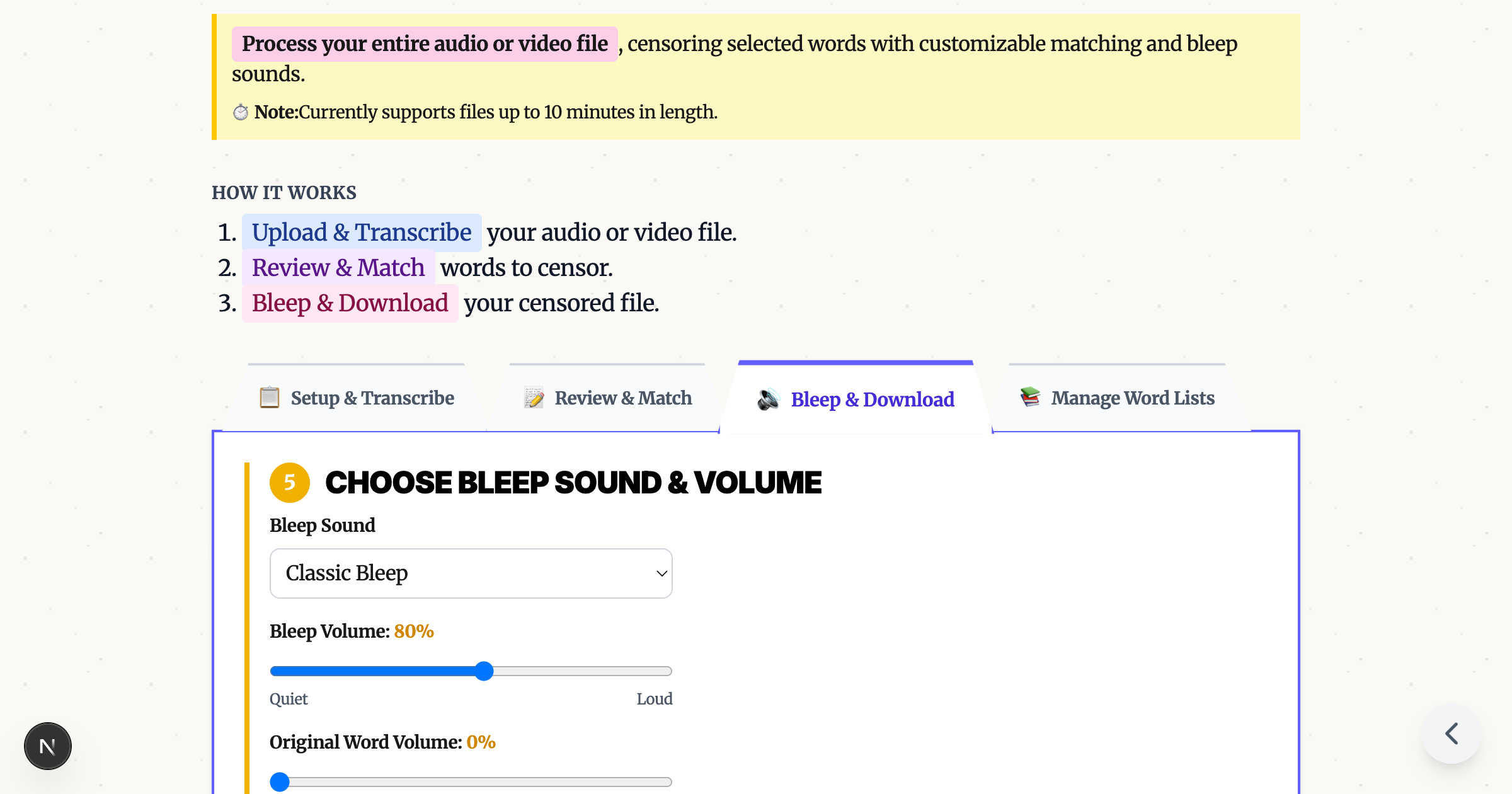
Need to censor profanity for YouTube monetization, work presentations, or repurposing content across platforms? Bleep That Sh*t does it in your browser—no software to download, no account required.
How It Works
1. Upload Your Video
Drag and drop any video file (MP4, MOV, AVI, WebM). Everything processes locally in your browser—your files never leave your device.
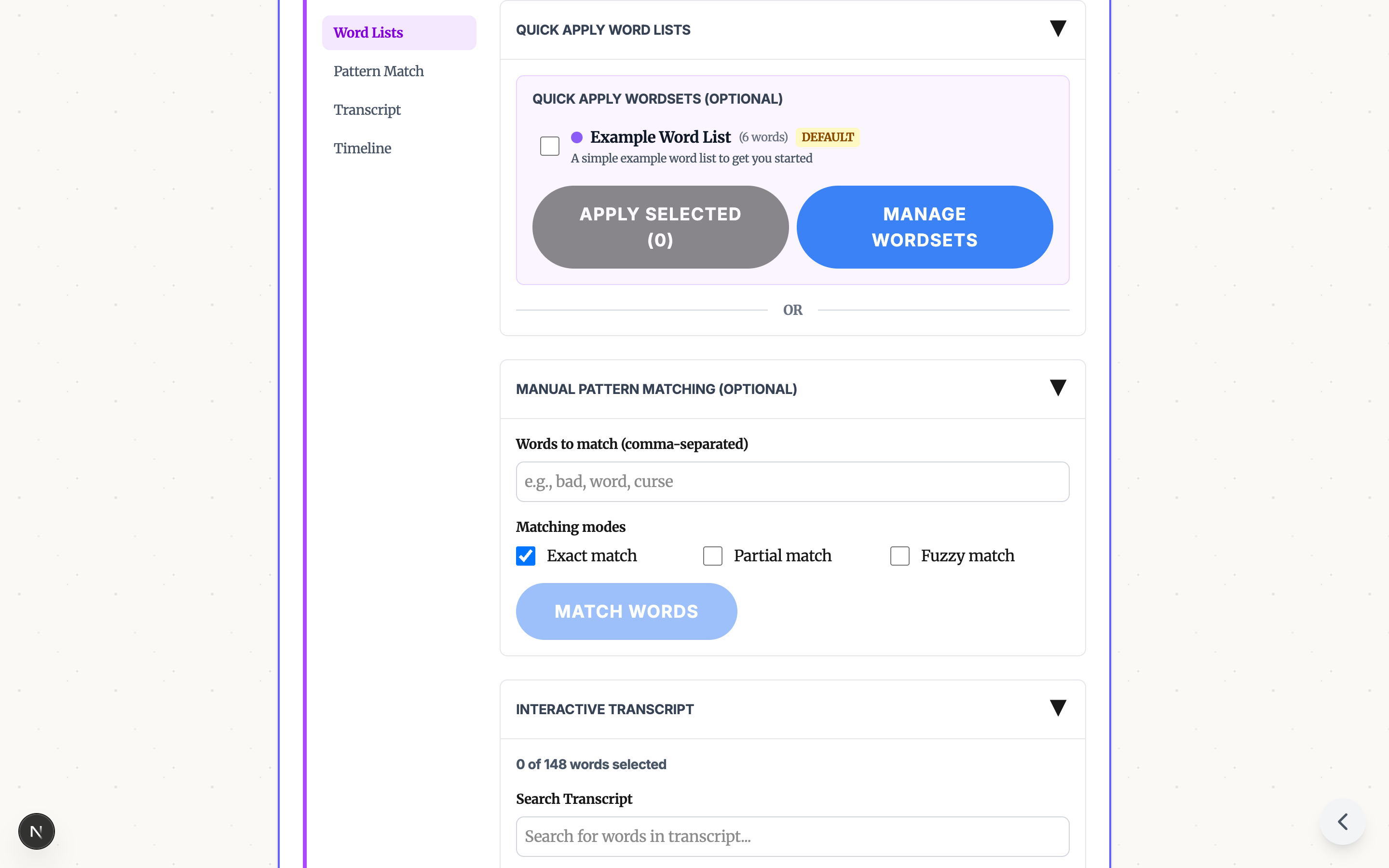
2. Select Words to Bleep
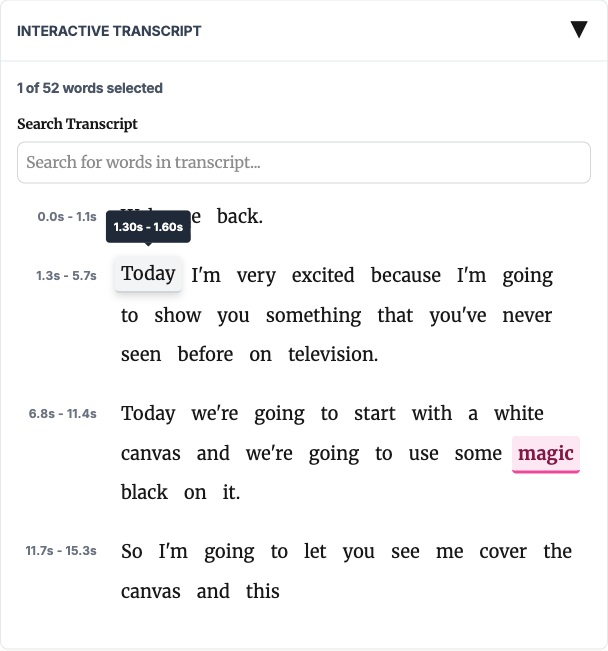
Auto-detection: Click "Transcribe" and Whisper AI generates a complete transcript with timestamps. Apply profanity word lists or use pattern matching to auto-select words.
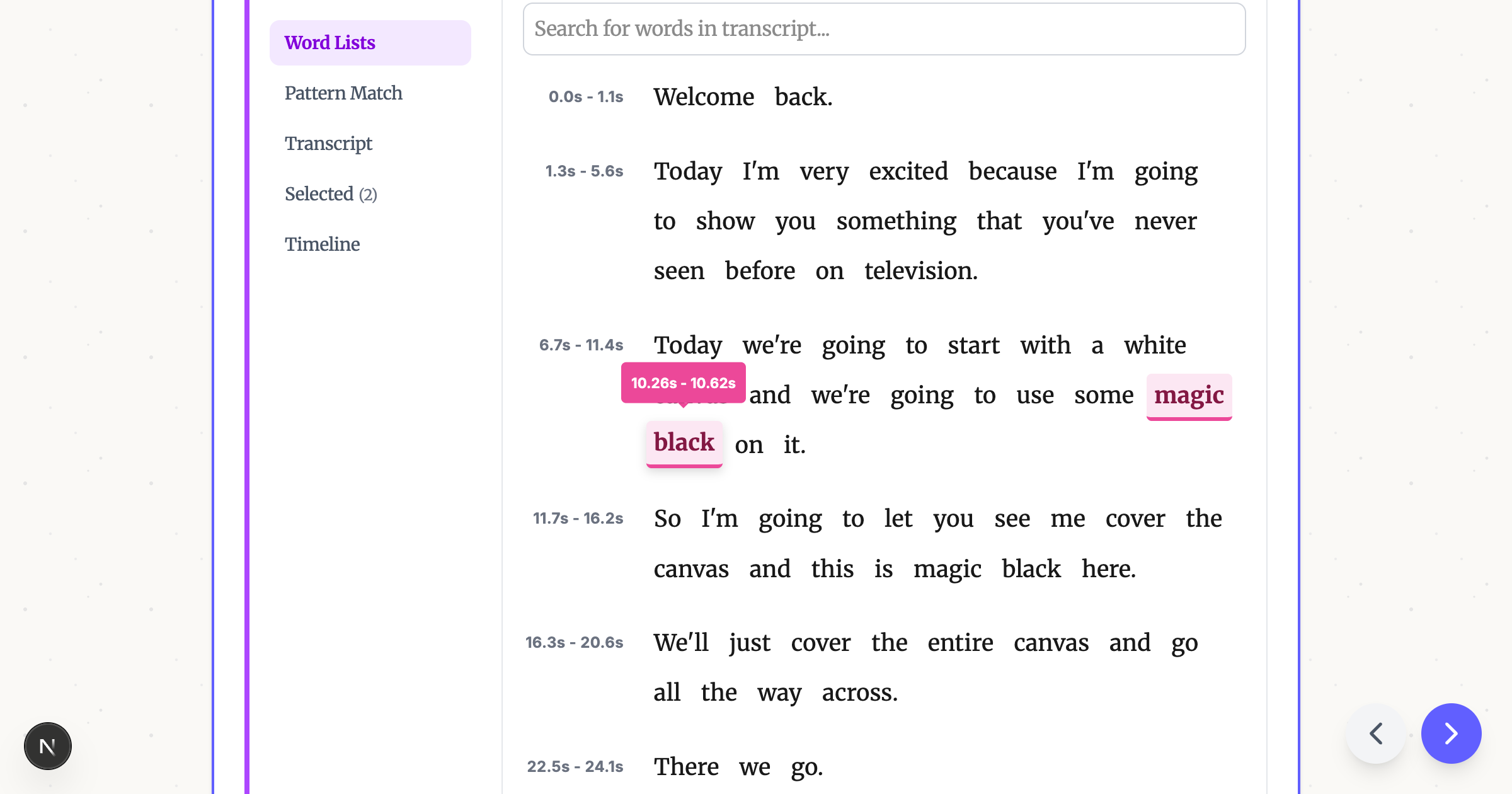
Manual selection: Click words directly in the transcript to toggle them for bleeping.
Timeline selection: Select specific time ranges for non-word sounds or precise control.
3. Choose Your Bleep Sound
- Classic bleep — the iconic TV censor tone
- Silence — mutes without drawing attention
- Fun sounds — dolphin chirps, T-Rex roar
Adjust volume and buffer time as needed.
4. Export
Click "Apply Bleeps" and download. No watermark, original quality preserved.
Comparison
| Feature | Bleep That Sh*t | Kapwing | Premiere Pro |
|---|---|---|---|
| Free | ✓ | Limited | ✗ ($23/mo) |
| No watermark | ✓ | ✗ | N/A |
| Auto-detect words | ✓ | ✗ | ✗ |
| No download required | ✓ | ✓ | ✗ |
| Local processing | ✓ | ✗ | ✓ |
FAQ
Long videos? Yes—works on full podcast episodes.
Audio-only files? Yes—MP3 and other audio formats supported.
Privacy? 100% local processing. Nothing uploaded to servers.
Try Bleep That Sh*t Free → — No download, no watermark.
Ready to Bleep Your Content?
Try our free in-browser tool - no uploads required, 100% private processing.
Bleep Your Sh*t!Related Articles
How to Censor Videos on Chromebook (No Install Required)
Bleep out words in videos on any Chromebook - including school-managed devices. Free browser tool, no download needed.
Bleep Out Words in Video Without CapCut, iMovie, or Premiere Pro
Skip the complex video editors. Free browser tool auto-detects words and adds bleeps in minutes - no software to learn.
How to Bleep Out Words in Video: Complete Guide
Learn how to censor words from videos for free, directly in your browser. No software installation required.