Censor Audio and Video Online Free: No Software Required
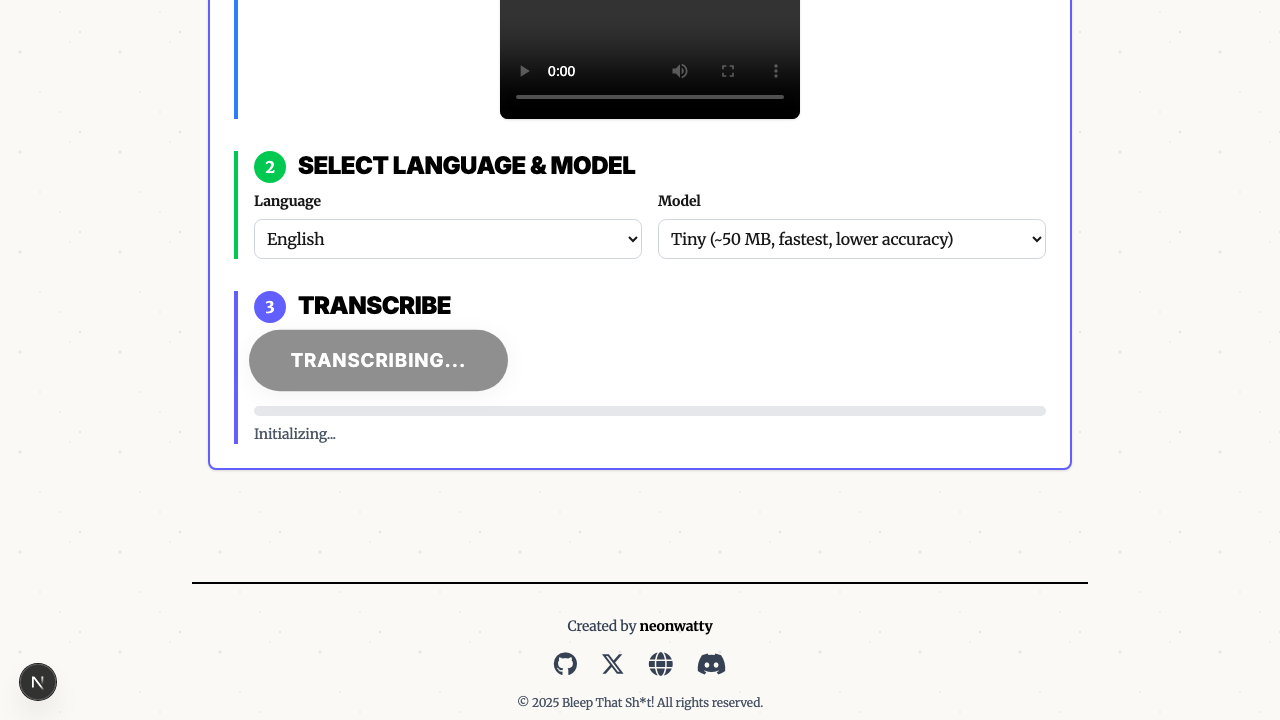
Need to bleep audio online? Most "free" tools require downloads, accounts, or upload your files to their servers. Here's a tool that runs entirely in your browser - your video never leaves your device.
Why Browser-Based Matters
Complete Privacy
Traditional online video editors upload your files to remote servers for processing. That means:
- Your content sits on someone else's computer
- Potential data breaches expose your videos
- Terms of service may allow them to use your content
- Sensitive or confidential material at risk
Our tool processes everything locally using your browser's built-in capabilities. Your video stays on your device from upload to download. Nothing goes to any server.
Works Anywhere
No Windows-only software. No Mac apps. If you have a modern browser, you can censor audio:
- Desktop: Chrome, Firefox, Safari, Edge
- Tablet: iPad Safari, Android Chrome
- Phone: Mobile browsers on iOS and Android
- Chromebook: Full functionality in Chrome
Nothing to Install
No app downloads. No plugins. No "just install this helper utility." Open the page and start bleeping.
How to Censor Audio Online
Step 1: Upload Your File
Drag and drop your MP4 video or MP3 audio file. Supports files up to 10 minutes.

Step 2: Generate Transcript
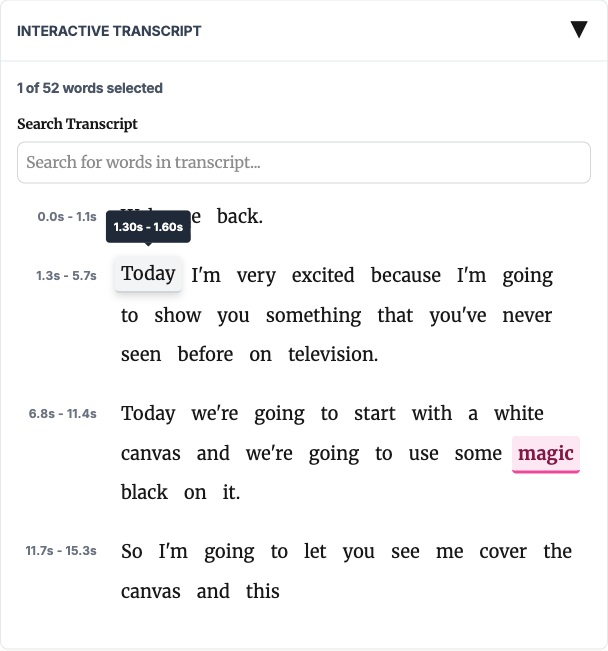
Click "Transcribe" and AI creates a word-by-word transcript. You'll see every word with its exact timestamp.
Step 3: Select Words to Bleep
Three ways to choose what gets censored:
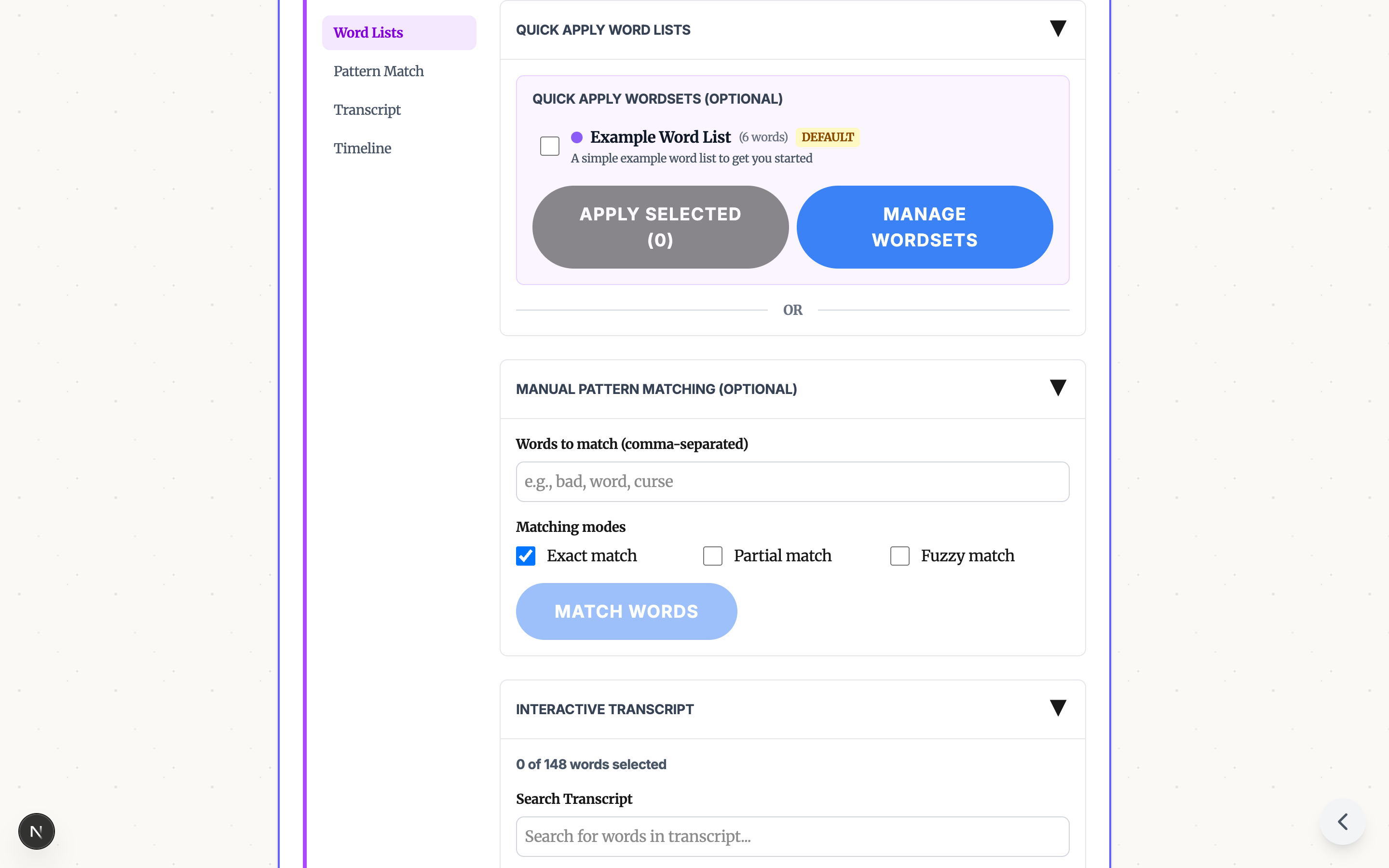
Word Lists - Apply pre-built profanity filters or create your own custom lists.

Pattern Matching - Enter words to find with exact, partial, or fuzzy matching.

Click to Select - Click any word in the transcript to toggle it for bleeping.

Step 4: Choose Sound and Download
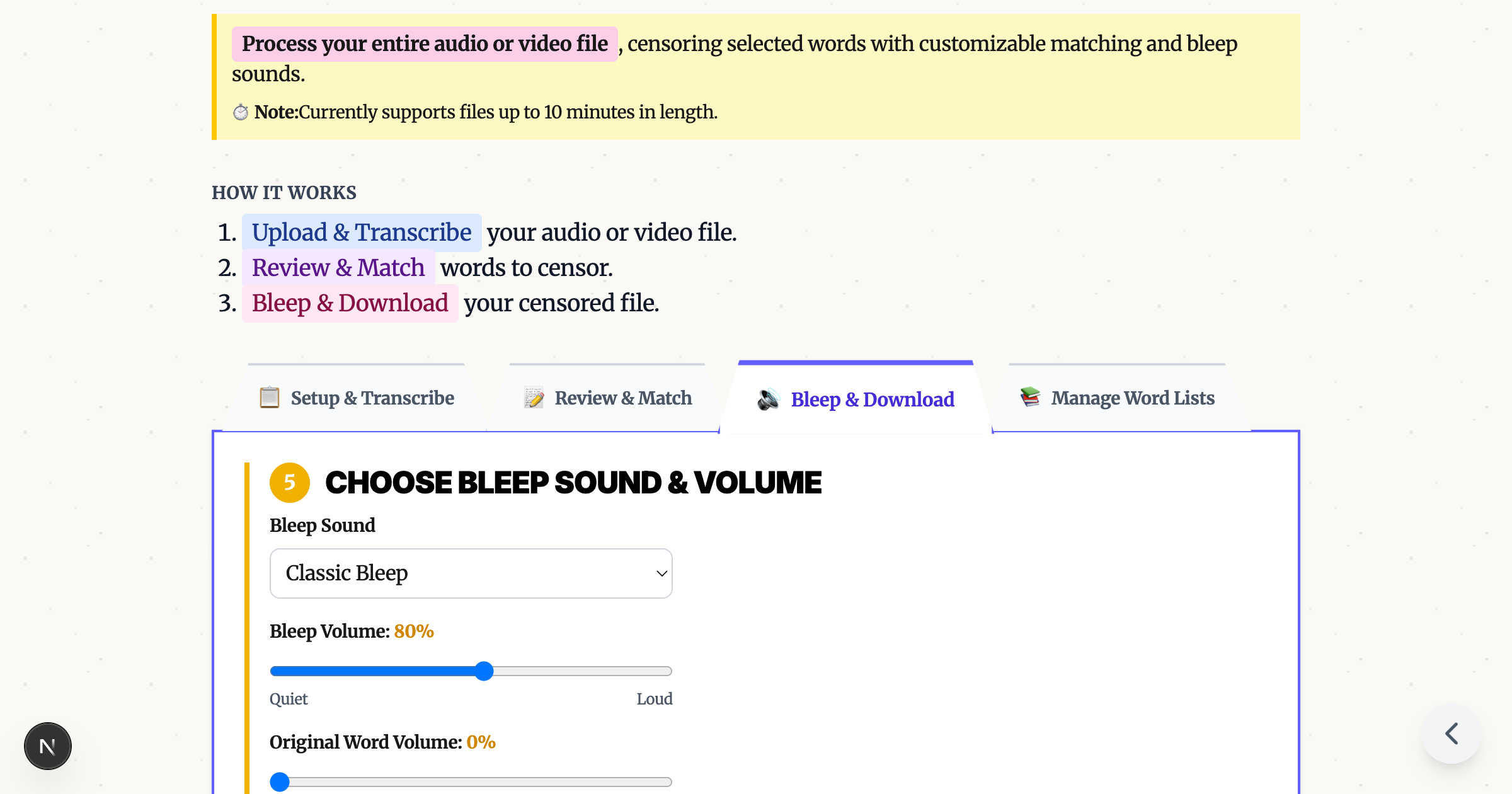
Pick your bleep sound - classic TV tone, brown noise, or fun alternatives. Preview, then download your censored file.

Truly Free: No Hidden Costs
- No account required - start using immediately
- No watermarks - your downloaded video is clean
- No file limits - censor as many videos as you want
- No premium tier - all features available to everyone
- No ads in your video - we don't inject anything
What Can You Censor?
Video Files (MP4)
Upload video and get video back. The censored audio is automatically synced with your original footage.
Audio Files (MP3)
Upload audio-only files for podcasts, voice recordings, or music.
Common Use Cases
- Content creators: Make videos ad-friendly for YouTube, TikTok
- Teachers: Clean up educational videos for classroom use
- Businesses: Prepare clips for professional presentations
- Podcasters: Remove profanity from interview recordings
- Parents: Create family-friendly versions of content
The Technology Behind It
Our tool uses WebAssembly to run powerful audio processing directly in your browser:
- Whisper AI transcribes speech with word-level accuracy
- FFmpeg handles video/audio processing
- Web Audio API generates and inserts bleep sounds
These technologies run client-side, which is why your files never need to leave your device.
Remove Swear Words From Video: Step by Step
- Go to our video bleeping tool
- Drag your MP4 or MP3 file into the browser
- Click "Transcribe" and wait for AI to process
- Click the words you want bleeped (or apply a word list)
- Choose your bleep sound
- Click "Apply Bleeps" and download
Total time: 2-5 minutes depending on video length.
Try It Now
Ready to censor your audio or video online? Visit our free bleeping tool and get started. No signup, no download, no upload to servers. Just drag, bleep, and download.
Ready to Bleep Your Content?
Try our free in-browser tool - no uploads required, 100% private processing.
Bleep Your Sh*t!Related Articles
Bleep Out Words in Video Without CapCut, iMovie, or Premiere Pro
Skip the complex video editors. Free browser tool auto-detects words and adds bleeps in minutes - no software to learn.
How to Bleep Out Words in Any Video (Free, No Download)
Bleep out swear words in any video for free. No download or signup required. Upload, select words to censor, and export in seconds.
How to Censor Videos on Chromebook (No Install Required)
Bleep out words in videos on any Chromebook - including school-managed devices. Free browser tool, no download needed.